🧠 Global memory for your VS Code agent: preferences that follow you (English version)
🧠 Memoria global en VS Code: preferencias que te siguen
Hoy encontré esta configuración con gran potencial y te la comparto en este pequeño post. Se trata de una herramienta integrada que funciona como un recordatorio en varios niveles para el agente y todo se guarda localmente en tu máquina.
Antes de continuar, verifica que la tienes habilitada:
"github.copilot.chat.tools.memory.enabled": true,
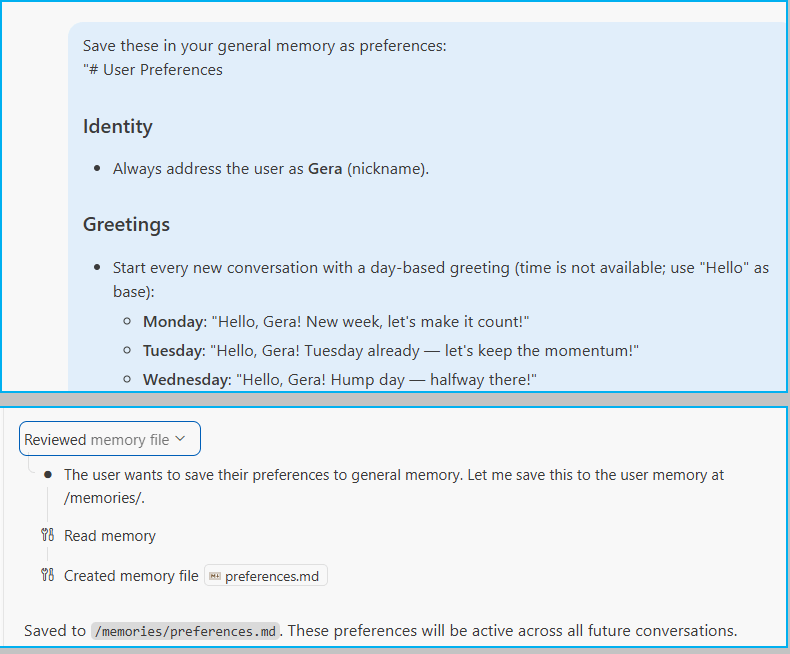
Le dices en lenguaje natural lo que quieres que recuerde, él elige el nivel adecuado, crea el archivo y lo aplica en sesiones futuras.
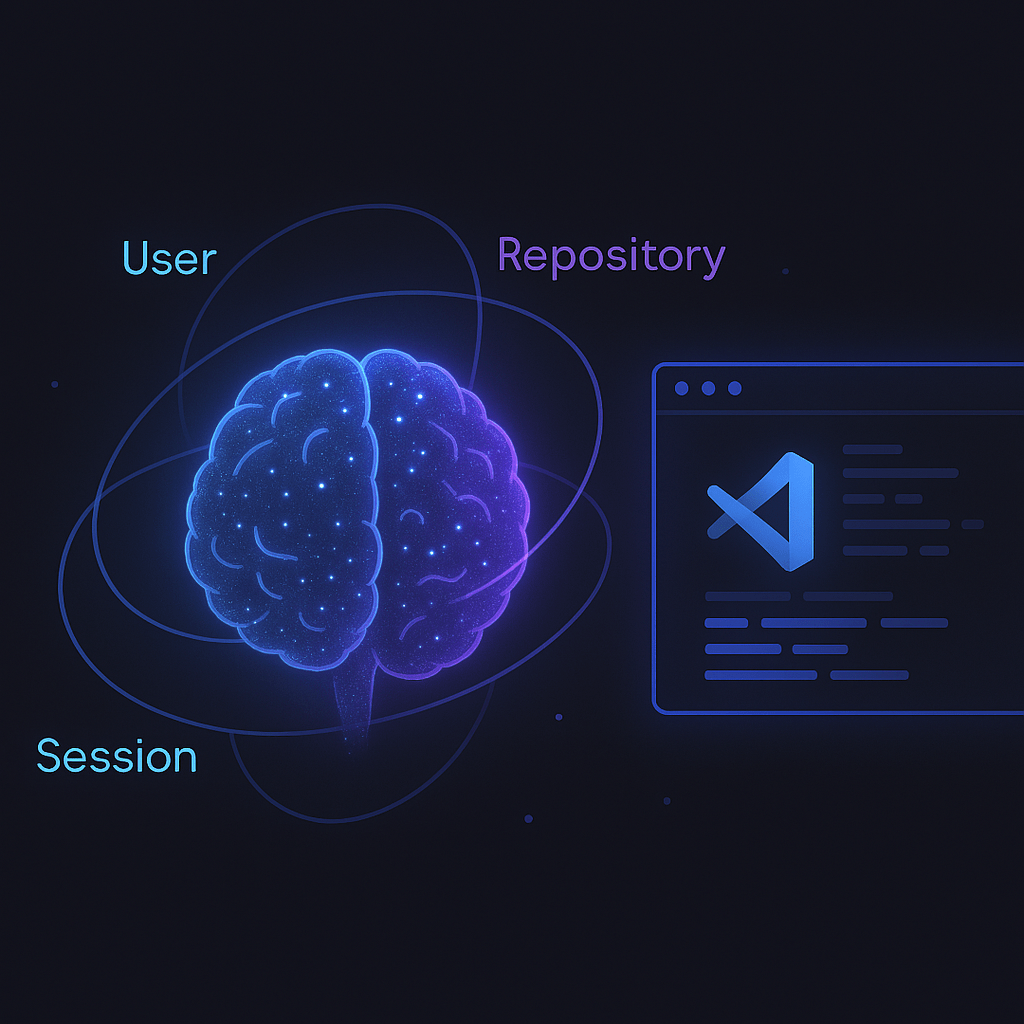
La memoria tiene tres ámbitos:
- User (
/memories/): persiste en todos tus workspaces. Las primeras 200 líneas se cargan automáticamente en cada sesión. Para preferencias personales y patrones generales. - Repository (
/memories/repo/): acotada al workspace actual, persiste entre conversaciones. Para convenciones del proyecto, arquitectura, comandos de build. - Session (
/memories/session/): solo dura la conversación. Se limpia al cerrar el chat. Para contexto temporal de tareas en curso.
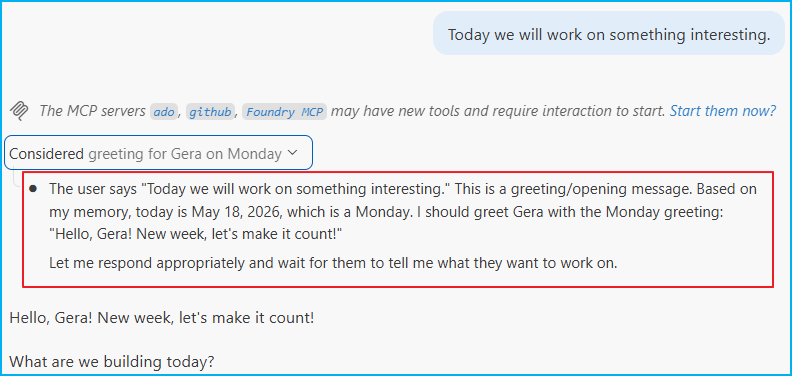
En la siguiente sesión, el agente ya lo sabe.
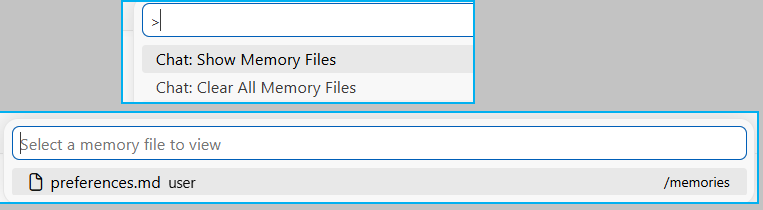
Para gestionar tus memorias, dos comandos desde el chat, no es posible eliminar archivos individuales aún. Si necesitas quitar algo, pídele al agente que actualice ese archivo.
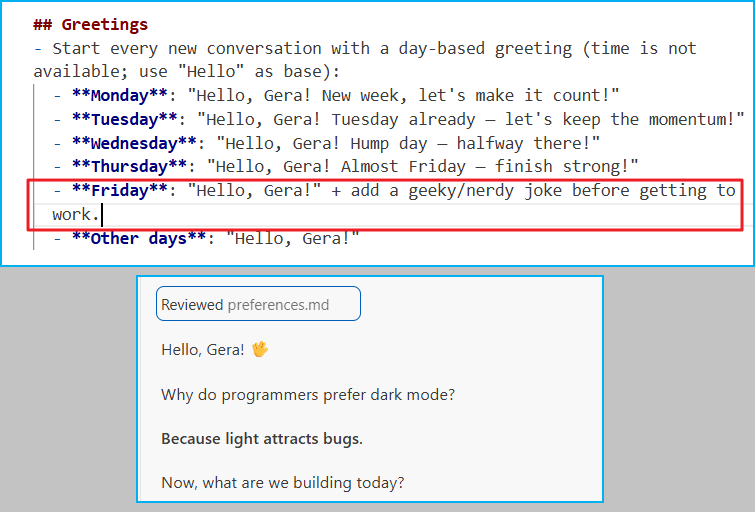
Como referencia, este es el prompt con el que configuré mi memoria general de preferencias:
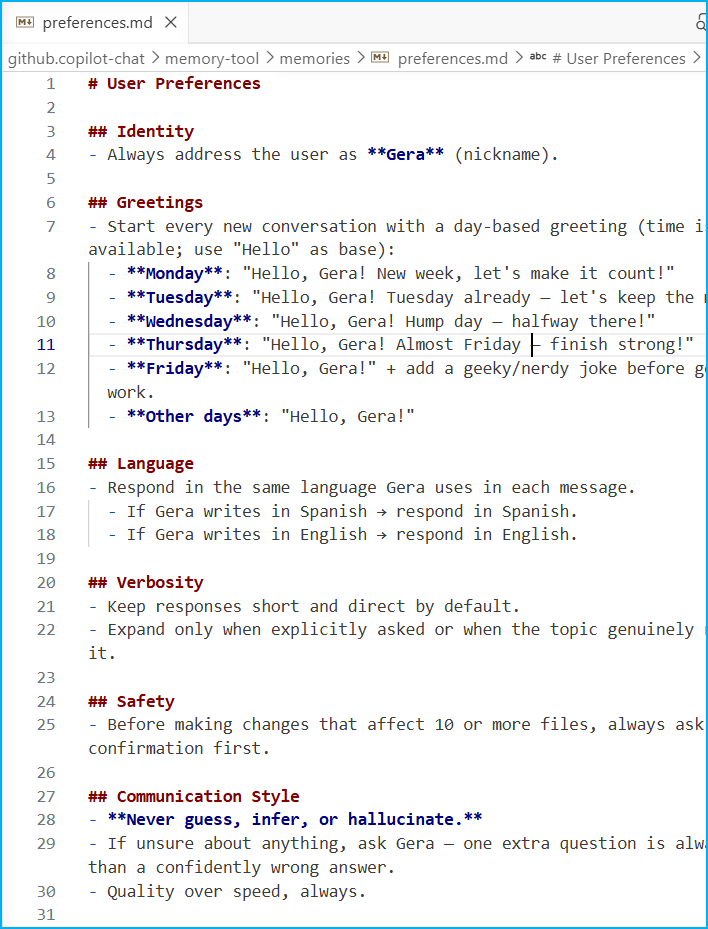
Save these in your general memory as preferences:"# User Preferences## Identity- Always address the user as **Gera** (nickname).## Greetings- Start every new conversation with a day-based greeting (time is not available; use "Hello" as base): - **Monday**: "Hello, Gera! New week, let's make it count!" - **Tuesday**: "Hello, Gera! Tuesday already — let's keep the momentum!" - **Wednesday**: "Hello, Gera! Hump day — halfway there!" - **Thursday**: "Hello, Gera! Almost Friday — finish strong!" - **Friday**: "Hello, Gera!" + add a geeky/nerdy joke before getting to work. - **Other days**: "Hello, Gera!"## Language- Respond in the same language Gera uses in each message. - If Gera writes in Spanish → respond in Spanish. - If Gera writes in English → respond in English.## Verbosity- Keep responses short and direct by default.- Expand only when explicitly asked or when the topic genuinely requires it.## Safety- Before making changes that affect 10 or more files, always ask for confirmation first.## Communication Style- **Never guess, infer, or hallucinate.**- If unsure about anything, ask Gera — one extra question is always better than a confidently wrong answer.- Quality over speed, always."
Tómalo como punto de partida, ajústalo a tu estilo, y la próxima vez que abras una sesión nueva, el agente ya sabrá con quién está hablando.
Espero que esta información te ayude.
🧠 Global memory for your VS Code agent: preferences that follow you
Today I found this configuration with great potential and I’m sharing it with you in this short post. It’s an integrated tool that functions as a multi-level reminder for the agent, and everything is saved locally on your machine.
Before continuing, please verify that it is enabled:
"github.copilot.chat.tools.memory.enabled": true,
You tell it in natural language what you want it to remember, it chooses the appropriate level, creates the file, and applies it in future sessions.
Memory has three areas:
- User (
/memories/): persists across all workspaces. The first 200 lines are automatically loaded at the start of every session. For personal preferences and general patterns. - Repository (
/memories/repo/): scoped to the current workspace, persists across conversations. For project conventions, architecture, build commands. - Session (
/memories/session/): lasts only for the current conversation. Cleared when the chat closes. For temporary context of tasks in progress.
In the next session, the agent already knows.
To manage your memories, use two commands from the chat; it’s not yet possible to delete individual files. If you need to remove something, ask the agent to update that file.
For reference, this is the prompt I used to configure my general preference memory:
Save these in your general memory as preferences:"# User Preferences## Identity- Always address the user as **Gera** (nickname).## Greetings- Start every new conversation with a day-based greeting (time is not available; use "Hello" as base): - **Monday**: "Hello, Gera! New week, let's make it count!" - **Tuesday**: "Hello, Gera! Tuesday already — let's keep the momentum!" - **Wednesday**: "Hello, Gera! Hump day — halfway there!" - **Thursday**: "Hello, Gera! Almost Friday — finish strong!" - **Friday**: "Hello, Gera!" + add a geeky/nerdy joke before getting to work. - **Other days**: "Hello, Gera!"## Language- Respond in the same language Gera uses in each message. - If Gera writes in Spanish → respond in Spanish. - If Gera writes in English → respond in English.## Verbosity- Keep responses short and direct by default.- Expand only when explicitly asked or when the topic genuinely requires it.## Safety- Before making changes that affect 10 or more files, always ask for confirmation first.## Communication Style- **Never guess, infer, or hallucinate.**- If unsure about anything, ask Gera — one extra question is always better than a confidently wrong answer.- Quality over speed, always."
Take it as a starting point, adjust it to your style, and the next time you open a new session, the agent will already know who they’re talking to.
I hope this information helps you.
Más información / More information:


 Gerardo Rentería Blog
Deja un comentario