Do you want to analyze Business Central telemetry with Kusto.Explorer? (English version)
¿Quieres analizar la telemetría de Business Central con Kusto.Explorer?
Si deseas utilizar un aplicativo fácil de usar para consultar y analizar tus datos de telemetría de Business Central con Kusto Query Language (KQL), te recomiendo usar Kusto.Explorer.
Te comento de manera rápida como conectarte al servicio de Application Insights, para que puedas vía Kusto.Explorer consultar tus datos, buscar tus datos en tablas, visualizar tus datos en una amplia variedad de gráficos, y compartir tus consultas y resultados de varias maneras.
Primero necesitamos instalar el aplicativo desde la siguiente ubicación: https://aka.ms/ke
Una vez instalado vamos a la pestaña de conexiones y le damos a la opción de «añadir conexión».

Debemos tener los siguientes datos del servicio de Application Insights al cual nos queremos conectar.
- Nombre del servicio: ai-app-name
- Nombre del grupo de recurso: resource-group-name
- ID de suscripción: subscription-id

Ahora construimos una cadena de conexión a partir de la siguiente plantilla, similar a la conexión con las herramientas cliente de Azure Data Explorer.
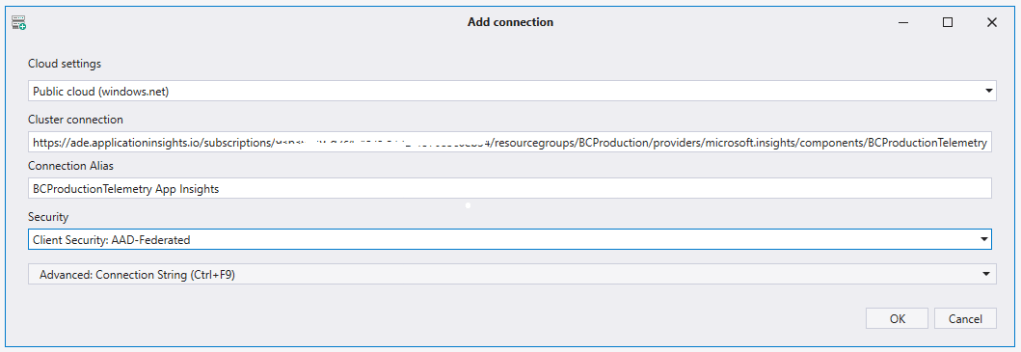
https://ade.applicationinsights.io/subscriptions/<subscription-id>/resourcegroups/<resource-group-name>/providers/microsoft.insights/components/<ai-app-name>Elegimos agregar conexión y pegamos la cadena de conexión en el campo Cluster Connection.
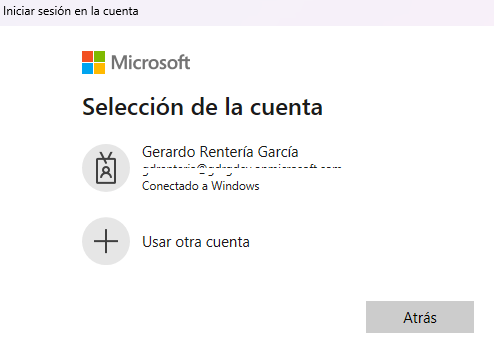
Debemos autenticarnos y aceptar.
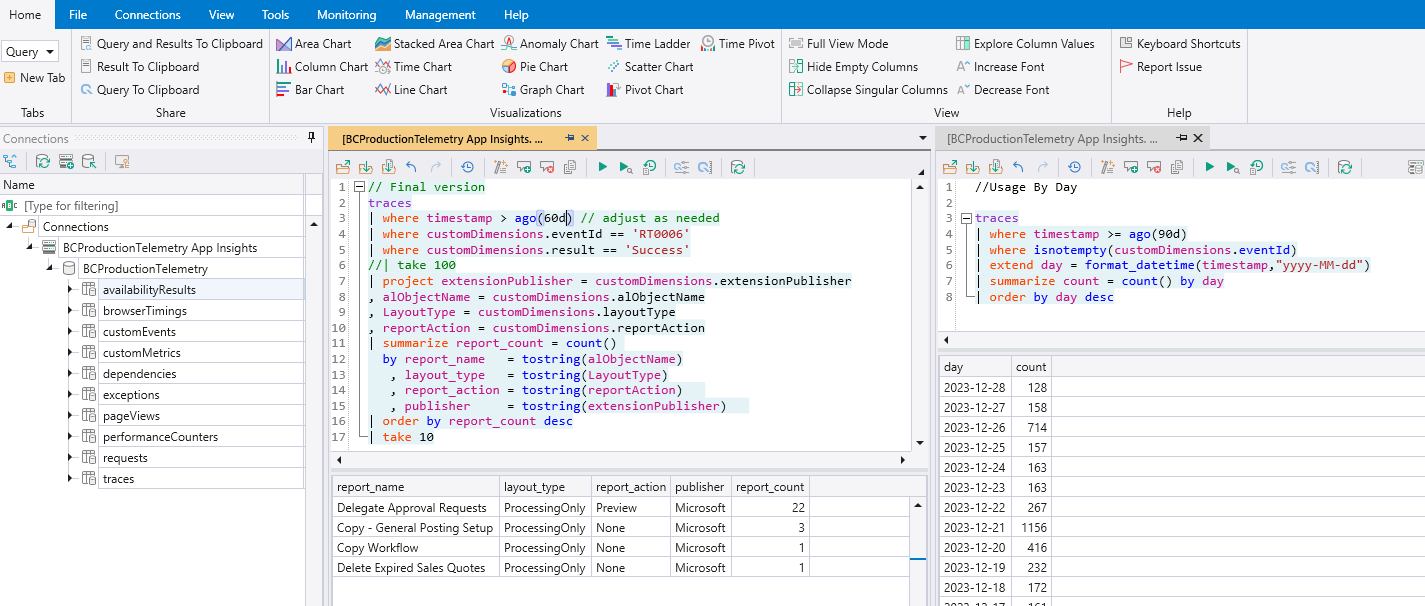
Y visualizamos las tablas que tenemos en el servicio de Application Insights.

Ahora podemos aprovechar el potencial de este aplicativo para analizar y monitorear la telemetría de nuestras implementaciones de Business Central con KQL.
En el siguiente enlace tenemos un tutorial que nos guiará a crear una consulta kusto (KQL) para analizar cómo los usuarios usan los reportes en un entorno Business Central.
Analyze and Monitor Telemetry with KQL
Espero que esta información te ayude.
Do you want to analyze Business Central telemetry with Kusto.Explorer?
If you want to use an easy-to-use application to query and analyze your Business Central telemetry data with Kusto Query Language (KQL), I recommend using Kusto.Explorer.
I’ll quickly tell you how to connect to the Application Insights service, so that you can consult your data via Kusto.Explorer, search for your data in tables, view your data in a wide variety of graphs, and share your queries and results in various ways.
First we need to install the application from the following url: https://aka.ms/ke
Once installed we go to the connections tab and click on the «add connection» option.
We must have the following data from the Application Insights service to which we want to connect.
- Service name: ai-app-name
- Resource group name: resource-group-name
- Subscription ID: subscription-id
Now we build a connection string from the following template, similar to connecting with the Azure Data Explorer client tools.
https://ade.applicationinsights.io/subscriptions/<subscription-id>/resourcegroups/<resource-group-name>/providers/microsoft.insights/components/<ai-app-name>We choose add connection and paste the connection string into the Cluster Connection field.
We must authenticate and accept.
And we visualize the tables that we have in the Application Insights service.
Now we can take advantage of the potential of this application to analyze and monitor the telemetry of our Business Central implementations with KQL.
In the following link we have a tutorial that will guide us to create a kusto query (KQL) to analyze how users use reports in a Business Central environment.
Analyze and Monitor Telemetry with KQL
I hope this information helps you.
Más información / More information:




 Gerardo Rentería Blog
Deja un comentario