About Business Central preview environments (English version)
Acerca de los ambientes previos de Business Central
Antes de una actualización mayor, puede probar las nuevas funciones en entornos de versiones preliminares durante aproximadamente un mes. Son entornos aislados de Business Central (Sandbox).
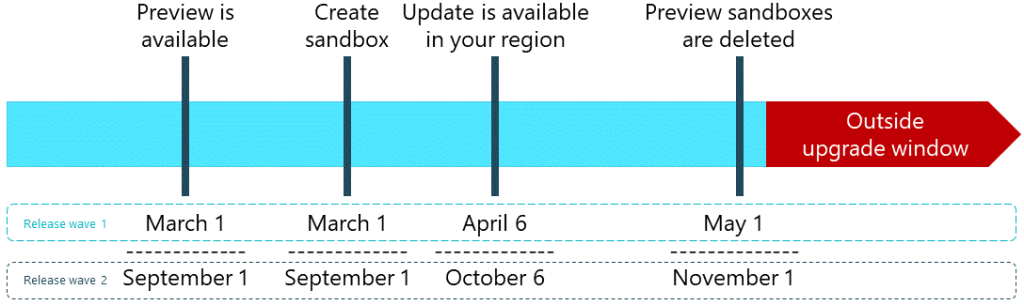
Los procesos para obtener una vista previa de una actualización importante se muestran en la siguiente figura, junto con un ejemplo de calendario para las dos oleadas de lanzamientos de un año cualquiera. Más información: Prepare for major updates with preview environments
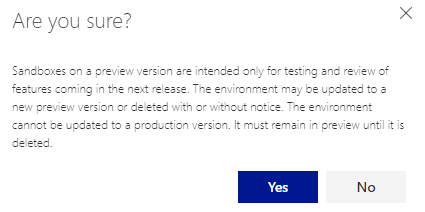
Recordemos que es un ambiente que debemos usarlo con el propósito de pruebas y revisiones de las funcionalidades que llegarían en el próximo wave. Así como también validar nuestras extensiones. El entorno puede eliminarse con o sin previo aviso o modificarse. Es imposible actualizar este entorno a un estado listo para producción. Hasta que se borre, tiene el estado de vista previa.
Podrás seguir realizando pruebas con esa versión una vez que se publique la versión oficial y ya no se podrán crear nuevos entornos de pruebas de la versión preliminar. Todos los entornos sandbox basados en la versión preliminar, así como la propia versión preliminar, se borrarán 30 días después de que esté disponible la versión oficial, tal como se visualiza en la imagen anterior.
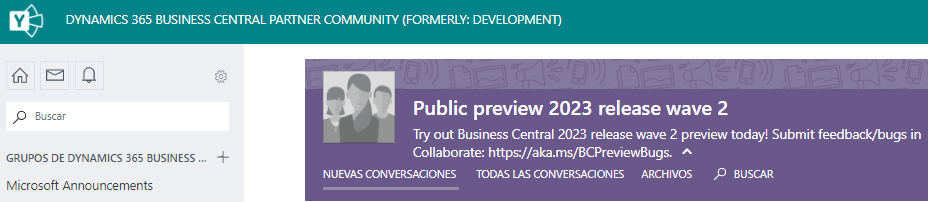
Microsoft crea un grupo de «Vista previa pública» en Yammer para cada vista previa pública. Viva Engage : Dynamics 365 Business Central Partner Community (Formerly: Development) : Inicio (yammer.com)
Tenemos mecanismos de comunicación si es que:
- Si tenemos alguna idea que nos gustaría verlo en la aplicación en las futuras versiones, el portal de ideas: https://aka.ms/bcideas
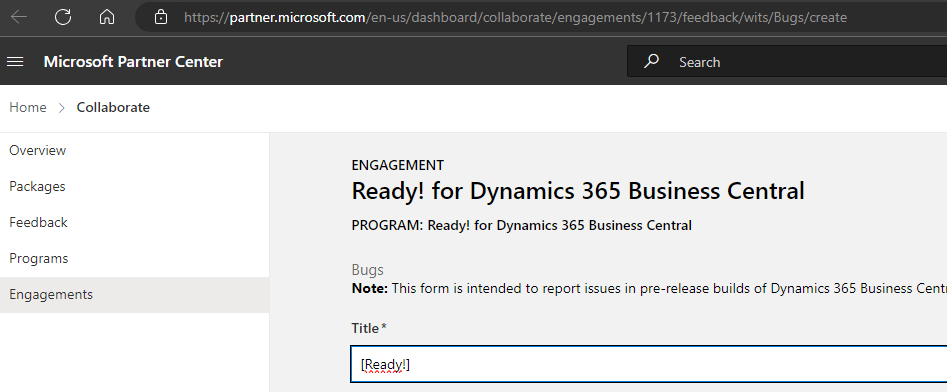
- Si encontramos algún problema, observación o incidencia, el portal de colaboración (Collaborate): https://aka.ms/BCPreviewBugs
También puedes enviar un correo electrónico a dyn365bep@microsoft.com con detalles completos sobre el problema que hayas experimentado y cualquier otra circunstancia si tiene problemas para unirte a los portales de Collaborate o Yammer.
Creación de un ambiente de versión preliminar
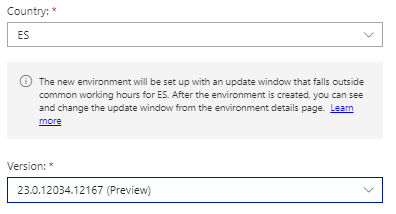
Debe crear un ambiente desde el Administrador de Business Central, indicando el nombre, el tipo Sandbox, el país deseado y seleccionando la versión (Preview) de la lista de versiones. De este modo, se obtiene un nuevo entorno sandbox con una versión preliminar de Business Central.
Aceptamos el mensaje donde nos menciona las limitaciones y consideraciones de este tipo de ambiente.
Y de esta manera ya tenemos el nuevo ambiente para que podamos trabajar en el. Espero te haya servido de guía, y disfruta de todas las novedades.

About Business Central preview environments
Before a major upgrade, you can test the new features in preview environments for about a month. These are Sandbox environments.
The processes for previewing a major upgrade are shown in the figure below, along with an example schedule for the two release waves in any given year. More information: Prepare for major updates with preview environments
Let’s remember that it is an environment that we should use for the purpose of testing and revising the functionalities that will arrive in the next wave. As well as to validate our extensions. The environment can be removed with or without notice or modified. It is impossible to upgrade this environment to a production ready state. Until it is deleted, it has a preview state.
You will be able to continue testing with that version once the official version is released and it will no longer be possible to create new test environments from the preview version. All sandbox environments based on the preview version, as well as the preview version itself, will be deleted 30 days after the official version is available, as shown in the image above.
Microsoft creates a «Public Preview» group in Yammer for each public preview. Viva Engage : Dynamics 365 Business Central Partner Community (Formerly: Development) : Inicio (yammer.com)
We have communication mechanisms in place if:
- If we have any ideas that we would like to see in the application in future releases, the idea portal: https://aka.ms/bcideas
- If we encounter any problem, observation or incident, the Collaborate portal: https://aka.ms/BCPreviewBugs
You can also send an email to dyn365bep@microsoft.com with full details of the problem you have experienced and any other circumstances if you have problems joining the Collaborate or Yammer portals.
Creation of Business Central Preview Environment
You must create an environment from the Business Central Administrator, indicating the name, the Sandbox type, the desired country and selecting the version (Preview) from the version list. In this way, you get a new sandbox environment with a preview version of Business Central.
We accept the message mentioning the limitations and considerations of this type of environment.
And this way we already have the new environment so we can work in it. I hope it has served as a guide, and enjoy all the news.
Más información / More Information


 Gerardo Rentería Blog
Deja un comentario