
[ESP] En el siguiente enlace puedes ver leer los cambios relacionados a la versión vigente:
[ENG] In the following link you can read the changes related to the current version:
- Agent HQ is your single view to kick off, monitor, and review agent sessions, whether they’re local or remote, from Copilot or OpenAI Codex.
- Security and trust help you stay in control and confidently delegate more tasks to AI.
- A great editor experience to make your day-to-day coding smoother and more enjoyable.
Updates
- Update 1.106.1: The update addresses these issues.
- Update 1.106.2: The update addresses these issues
- Update 1.106.3: The update addresses these issues
September 2025 (version 1.105)
- OS integration
- Get notified about task completion and chat responses (Show more)
- Native authentication experience on macOS (Show more)
- Developer productivity
- Resolve merge conflicts with AI assistance (Show more)
- Pick up where you left off with the recent chats (Show more)
- Agent tools
- Install MCP servers from the MCP marketplace (Show more)
- Use fully-qualified tool names to avoid conflicts (Show more)
Updates
- Update 1.105.1: The update addresses these issues in core and these issues in the GitHub Copilot Chat extension.
- Model flexibility
- Let VS Code select the best model (Show more)
- Contribute models through VS Code extensions (Show more)
- Security
- Confirm edits for sensitive files (Show more)
- Let agents run terminal commands safely (Show more)
- Productivity
- Remove distractions from chat file edits (Show more)
- Use AGENTS.md to add chat context (Show more)
Updates
- Update 1.104.1: The update addresses these issues.
- Update 1.104.2: The update addresses these issues.
- Update 1.104.3: The update addresses these issues.
- MCP
- Revamped tool picker experience (Show more)
- Enable more than 128 tools per agent request (Show more)
- Chat
- Use GPT-5 in VS Code (Show more)
- Restore to a previous good state with chat checkpoints (Show more)
- Productivity
- Check out multiple branches simultaneously with Git worktrees (Show more)
- Manage coding agent sessions in a dedicated view (Show more)
Updates
- 1.103.1: The update adds GPT-5 prompt improvements, support for GPT-5 mini, and addresses these issues.
- 1.103.2: The update addresses these issues.
- Chat
- Explore and contribute to the open sourced GitHub Copilot Chat extension (Read our blog post).
- Generate custom instructions that reflect your project’s conventions (Show more).
- Use custom modes to tailor chat for tasks like planning or research (Show more).
- Automatically approve selected terminal commands (Show more).
- Edit and resubmit previous chat requests (Show more).
- MCP
- Editor experience
Updates
- MCP
- Chat
- Group and manage related tools by combining them in a tool set (Show more).
- Source Control
Updates
- Chat
- Chat performance
- Editor experience
Updates
- Agent mode
- Code editing
- Chat
- Notebook editing
- Create and edit notebooks as easily as code files with support for edit and agent mode (more…).
Updates
- Next Edit Suggestions (preview) – Copilot predicts the next edit you are likely to make.
- Agent mode (preview) – Copilot autonomously completes tasks.
- Copilot Edits for notebooks – Iterate quickly on edits for your notebooks.
- Code search – Let Copilot find relevant files for your chat prompt.
- Terminal IntelliSense (preview) – Rich completion support for your terminal.
- Drag & drop references – Quickly open peek references in a new editor.
- Linux custom title bar – Custom title bar support for Linux enabled by default.
- Unresolved diagnostics (preview) – Prompt when committing with unresolved diagnostics.
- Soft-delete in source control – Move untracked files to trash instead of deleting them.
- Custom instructions GA – Use custom instructions to tailor Copilot to your needs.
Updates
- Next Edit Suggestions (preview) – Copilot predicts the next edit you are likely to make.
- Reposition Command Palette – Drag the Command Palette and Quick Inputs to a new position.
- Auto accept edits – Automatically accept edits from Copilot after a configurable timeout.
- Extension publisher trust – Keep your environment secure with extension publisher trust.
- Compound logs – Combine multiple logs into a single, aggregated log view.
- Filter output logs – Filter the contents of the Output panel.
- Git blame information – Rich git blame information and open on GitHub.
- Search values in debug variables – Filter and search for specific values in debug variables.
- Notebook inline values – View inline values for code cell variables in notebooks.
- Python no-config debug – Quickly debug a Python script or module without setup.
Updates
- Overtype mode – Switch between overwrite or insert mode in the editor
- Add imports on paste – Automatically add missing TS/JS imports when pasting code
- Test coverage – Quickly filter which code is covered by a specific test
- Move views – Easily move views between the Primary and Secondary Side Bar
- Terminal ligatures – Use ligatures in the terminal
- Extension allow list – Configure which extensions can be installed in your organization
- Debug with Copilot – Use
copilot-debugterminal command to start a debugging session - Chat context – Add symbols and folders as context Chat and Edits
- Move from chat to Copilot Edits – Switch to Copilot Edits to apply code suggestions from Chat
Updates
- Copilot Edits – Iterate quickly on large changes across multiple files
- Copilot Chat in Secondary Side Bar – Keep Copilot Chat open and ready to-go while you work
- Multiple GitHub accounts – Log in to multiple GitHub accounts in VS Code simultaneously
- Copilot code reviews – Get a quick review pass or a deeper review of uncommitted changes
- Docstrings with Pylance – Generate docstring templates for classes or methods
- Preview settings indicator – View experimental and preview settings in the Settings editor
- Copilot extensibility – Showcasing Copilot extensibility in VS Code
Updates
- Find in Explorer – Quickly find files in the Explorer view with the improved Find control.
- Source Control Graph – More filtering options and interactivity in the Source Control Graph.
- Python test coverage – Run Python tests with coverage and get rich results in the editor.
- ESM – Faster VS Code startup thanks to the migration to ESM.
- Account preference – Specify which account to use for an extension.
- Copilot in Native REPL – Get code completions and Inline Chat in the Native REPL.
- Improved chat context – Drag & drop files or use IntelliSense for more relevant chat context.
- Test environment setup – Get help with setting up a test framework for your workspace
Updates
- Profiles editor – Switch and manage your profiles from a single place.
- Django unit test support – Discover and run Django unit tests from the Test Explorer.
- IntelliSense on vscode.dev – Boost your JS & TS coding in vscode.dev with IntelliSense.
- Notebook diff viewer – Efficiently review changes in notebooks by collapsing unchanged cells.
- Resize columns via the keyboard – Resizing table columns in VS Code more accessible via keyboard.
- Source Control Graph – Easily hide, collapse, or move the Source Control Graph.
- GitHub Copilot – Add context in Quick Chat, improved test generation and chat history.
- Experiment: Custom Copilot instructions – Define specific code-generation instructions for Copilot.
Updates
- Default browser – Configure which browser to use for opening links in VS Code.
- Revert PRs – Easily create a revert PR for a merged PR.
- Extension updates – More easily configure auto updating of extensions.
- Override profiles – Override an existing profile with the Profiles Editor.
- Paste files in CSS – Quickly add CSS file references with paste or drag and drop.
- Move Panel to top – Position the Panel section at the top of the workbench.
- Copilot uses GPT-4o – GitHub Copilot Chat upgraded to OpenAI’s GPT-4o.
Updates
- Preview: Incoming/Outgoing changes graph – Visualize incoming and outgoing changes in the Source Control view.
- Python environments – Enhanced environment discovery with python-environment-tools.
- Smart Send in native REPL – Smoothly run code chunks in the native REPL.
- GitHub Copilot extensibility – Chat and Language Model APIs available in VS Code Stable.
- Preview: Profiles Editor – Manage your profiles in a single place.
- Custom tab labels – More variable options and support for multiple extensions.
- TypeScript 5.5 – Syntax checking for regular expressions and other language features.
- JavaScript Debugger – Inspect shadowed variables while debugging JavaScript.
Updates
- Editor tabs multi-select – Select and perform actions on multiple tabs simultaneously.
- Profiles – Open new windows with your preferred profile.
- Editor actions – Immediately access editor actions across editor groups.
- Copilot extensibility – Build AI into your extensions with the Chat and Language Model API.
- VS Code Speech – Automatically read out Copilot Chat responses with text-to-speech.
- Find in notebooks – Restrict search to selected cells in notebooks.
- Chat context – Quickly attach different types of context in chat.
- IntelliSense in chat responses – Better understand generated code with IntelliSense.
Updates
- Preview Markdown images & videos – Hover over a link to preview images & videos in Markdown.
- Enhanced branch switching – Restore open editors seamlessly when switching between branches.
- Middle-click paste support – Paste text quickly in the terminal using a mouse middle-click.
- WSL over Remote – SSH – Use WSL when connected to a remote machine via Remote – SSH.
- Accessible View – Navigate through comments, chat code blocks & terminal commands from the Accessible View.
- Keyboard shortcuts for UI actions – Customize keybindings for UI actions directly with a right-click.
- Quick Search – Search for text across your workspace with Quick Search.
- AI-powered rename suggestions – Get intelligent rename suggestions in the editor with Copilot.
- Copilot content exclusion – Exclude files from being used in the Copilot context.
- Local workspace extension – Include and install extensions directly in your workspace.
Updates
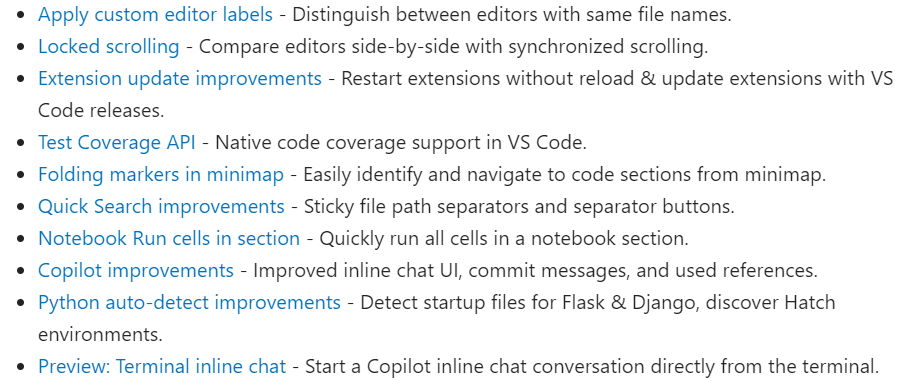
Updates
Updates
More Information:


 Gerardo Rentería Blog
Deja un comentario