2023 Wave 2 – v23: New SecretText data type to protect credentials and sensitive textual values (English Version)
2023 Wave 2 – v23: Nuevo tipo de datos SecretText para proteger credenciales y valores textuales sensibles.
Para este Wave 2 del 2023 teníamos la novedad de este nuevo tipo de datos SecretText. Use SecretText type to protect credentials and sensitive textual values from being revealed.
Cuando se realiza una depuración regular o instantánea, el tipo de datos SecretText está pensado para evitar que valores sensibles queden expuestos a través del depurador AL. Se recomienda su uso a las aplicaciones que necesiten gestionar cualquier tipo de credenciales, como claves API, tokens de licencia únicos o algo similar. SecretText Data Type
En el código AL, una credencial queda expuesta en una sesión de depuración o en una instantánea durante toda su vida útil si no está protegida por el atributo NonDebuggable en el ámbito de un procedimiento o en la variable en la que se aloja. A un valor SecretText se le puede asignar cualquier valor de tipo Texto o Código. El tiempo de vida de los tokens está protegido del depurador si se recuperan y son transformados a un valor SecretText.
Aquí el ejemplo del comportamiento de este nuevo tipo de datos.
procedure Assignments()
var
    PlainText: Text;
    Credential: SecretText;
begin
    Credential := PlainText; // Allowed
    PlainText := Credential; // Blocked

    ConsumePlainText(PlainText); // Allowed
    ConsumePlainText(Credential); // Blocked

    Credential := ProduceCredential(); //Allowed
    PlainText := ProduceCredential(); // Blocked
end;

procedure ConsumePlainText(PlainText: Text)
begin
end;

procedure ProduceCredential(): SecretText
begin
end;
El tipo de datos SecretText ofrece las siguientes funciones:
- SecretStrSubstNo: Sustituye los campos %1 y #1 de una cadena por los valores que proporciones como parámetros.
NewSecretText := SecretText.SecretStrSubstNo(String: Text [, Value1: SecretText,…])
- IsEmpty: Determina si está vacío el valor.
Ok := SecretText.IsEmpty()
- Unwrap: Devuelve el texto interno del SecretText como un valor de texto sin formato. Solo es compatible con la versión OnPrem de Business Central.
UnwrappedText := SecretText.Unwrap()
procedure SecretStrSubstNoExamples()
var
    First: SecretText;
    Second: SecretText;
    Result: SecretText;
begin
    // Concatenation
    Result := SecretStrSubstNo('%1%2', First, Second);

    // Build a header value
    Result := SecretStrSubstNo('Bearer %1', First);

    // Build a comma separated value list
    Result := SecretStrSubstNo('%1,%2', First, Second);
end;
La función System.Clear se ha sobrecargado y permite también borrar el valor de una variable de tipo SecretText. System.Clear(var SecretText) Method
De igual manera se han creado nuevas funciones y sobrecargadas algunas que permitan el uso de este nuevo tipo de datos especialmente en tipos de datos que participan en llamadas a servicios externos con HttpClient. Más información: Call external services with the HttpClient data type
Las siguientes funciones del tipo de datos HttpClient se han sobrecargado y permiten ahora el uso de variables del tipo SecretText:
- AddCertificate: Añade un certificado como SecretText a la clase HttpClient. Más información de certificados: Using certificates
HttpClient.AddCertificate(Certificate: SecretText [, Password: SecretText])
- UseWindowsAuthentication: Solo es compatible con la versión OnPrem de Business Central.
[Result := ] HttpClient.UseWindowsAuthentication(UserName: SecretText, Password: SecretText [, Domain: SecretText])
Las siguientes funciones del tipo de datos HttpContent se han sobrecargado y permiten ahora el uso de variables del tipo SecretText, también hay funciones nuevas:
- ReadAs: Lee el contenido en el texto seguro proporcionado.
[Ok := ] HttpContent.ReadAs(var OutputSecretText: SecretText)
- WriteFrom: Establece el contenido HttpContent al SecretText proporcionado.
HttpContent.WriteFrom(SecretText: SecretText)
- IsSecretContent: Es una función nueva y devuelve si el contenido es secreto. Si es secreto sólo se puede leer como SecretText.
[Ok := ] HttpContent.IsSecretContent()
Las siguientes funciones del tipo de datos HttpHeaders se han sobrecargado y permiten ahora el uso de variables del tipo SecretText, también hay funciones nuevas:
- Add: Añade la cabecera secreta especificada y su valor a la colección HttpHeaders. Valida el valor proporcionado.
[Ok := ] HttpHeaders.Add(Name: Text, Value: SecretText)
- TryAddWithoutValidation: Añade la cabecera secreta especificada y su valor a la colección HttpHeaders. No valida el valor proporcionado.
[Ok := ] HttpHeaders.TryAddWithoutValidation(Name: Text, Value: SecretText)
- ContainsSecret: Es una función nueva y devuelve si la cabecera de la clave dada tiene un valor secreto.
[Ok := ] HttpHeaders.ContainsSecret(Key: Text)
- GetSecretValues(Text, Array of [SecretText]): Es una función nueva y obtiene los valores secretos de la clave especificada.
[Ok := ] HttpHeaders.GetSecretValues(Key: Text, Values: Array of [SecretText])
- GetSecretValues(Text, List of [SecretText]): Es una función nueva y obtiene los valores secretos de la clave especificada.
[Ok := ] HttpHeaders.GetSecretValues(Key: Text, Values: List of [SecretText])
Las siguientes funciones del tipo de datos HttpRequestMessage son nuevas y permiten ahora el uso de variables del tipo SecretText:
- GetSecretRequestUri: Obtiene el URI secreto utilizado para la petición HTTP.
RequestUri := HttpRequestMessage.GetSecretRequestUri()
- SetSecretRequestUri: Establece el URI secreto utilizado para la petición HTTP.
[Ok := ] HttpRequestMessage.SetSecretRequestUri(RequestUri: SecretText)
El valor de retorno y el parámetro del siguiente ejemplo no serán depurables:
// The return value and parameter will not be debuggable
    procedure Send(ContentTxt: SecretText; Credential: SecretText; TargetUri: SecretText)
    var
        Request: HttpRequestMessage;
        Response: HttpResponseMessage;
        Client: HttpClient;
        Headers: HttpHeaders;
        Content: HttpContent;
    begin
        Request.SetSecretRequestUri(TargetUri);
        Content.WriteFrom(ContentTxt);
        Request.GetHeaders(Headers);
        Headers.Add('Authorization', SecretText.SecretStrSubstNo('Bearer %1', Credential));
        Request.Content := Content;
        Client.Send(Request, Response);
    end;
Otro ejemplo del uso de este nuevo tipo de datos:
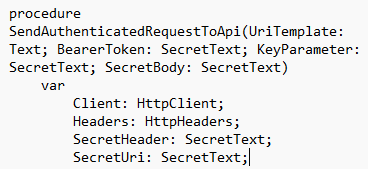
procedure SendAuthenticatedRequestToApi(UriTemplate: Text; BearerToken: SecretText; KeyParameter: SecretText; SecretBody: SecretText)
    var
        Client: HttpClient;
        Headers: HttpHeaders;
        SecretHeader: SecretText;
        SecretUri: SecretText;

        RequestMessage: HttpRequestMessage;
    begin
        SecretHeader := SecretStrSubstNo('Bearer %1', BearerToken);

        RequestMessage.GetHeaders(Headers);

        // The header is added and remains hidden when debugging the headers
        // of the request message
        Headers.Add('Authorization', SecretHeader);

        // Headers.Contains('Authorization') - false
        // Headers.ContainsSecret('Authorization') - true
        // Headers.GetSecretValues must be used to get the values.
        // It is not possible to retrieve the header value as a plain text.

        SecretUri := SecretStrSubstNo(UriTemplate, KeyParameter);
        RequestMessage.SetSecretRequestUri(SecretUri);

        // RequestMessage.GetSecretRequestUri can be used to retrieve the request uri.
        // It cannot be retrieved by GetRequestUri as a plain text.

        RequestMessage.Content.WriteFrom(SecretBody);

        // RequestMessage.Content.ReadAs can only read back the body in a SecretText destination

        SendMessageAndHandleResponse(Client, RequestMessage);
    end;

    [NonDebuggable]
    procedure SendMessageAndHandleResponse(Client: HttpClient; Request: HttpRequestMessage) CredentialFromResponse: SecretText
    var
        Response: HttpResponseMessage;
    begin
        Client.Send(Request, Response);
        Response.Content.ReadAs(CredentialFromResponse);
    end;
Espero que haya sido de utilidad esta información.
2023 Wave 2 – v23: New SecretText data type to protect credentials and sensitive textual values
For this 2023 Wave 2 we had the novelty of this new type of data SecretText. Use SecretText type to protect credentials and sensitive textual values from being revealed.
When performing regular or instant debugging, the SecretText data type is intended to prevent sensitive values from being exposed through the AL debugger. Its use is recommended for applications that need to manage any kind of credentials, such as API keys, unique license tokens or similar. SecretText Data Type
In AL code, a credential is exposed in a debug session or snapshot for its entire lifetime if it is not protected by the NonDebuggable attribute in the scope of a procedure or in the variable in which it is hosted. A SecretText value can be assigned any value of type Text or Code. The lifetime of tokens is protected from the debugger if they are retrieved and transformed to a SecretText value.
Here is an example of the behavior of this new data type.
procedure Assignments()
var
    PlainText: Text;
    Credential: SecretText;
begin
    Credential := PlainText; // Allowed
    PlainText := Credential; // Blocked

    ConsumePlainText(PlainText); // Allowed
    ConsumePlainText(Credential); // Blocked

    Credential := ProduceCredential(); //Allowed
    PlainText := ProduceCredential(); // Blocked
end;

procedure ConsumePlainText(PlainText: Text)
begin
end;

procedure ProduceCredential(): SecretText
begin
end;
The SecretText data type offers the following methods:
- SecretStrSubstNo: Replaces the %1 and #1 fields of a string with the values you provide as parameters.
NewSecretText := SecretText.SecretStrSubstNo(String: Text [, Value1: SecretText,…])
- IsEmpty: Determines if the value is empty.
Ok := SecretText.IsEmpty()
- Unwrap: Returns the internal text of the SecretText as a plain text value. Only compatible with the OnPrem version of Business Central.
UnwrappedText := SecretText.Unwrap()
procedure SecretStrSubstNoExamples()
var
    First: SecretText;
    Second: SecretText;
    Result: SecretText;
begin
    // Concatenation
    Result := SecretStrSubstNo('%1%2', First, Second);

    // Build a header value
    Result := SecretStrSubstNo('Bearer %1', First);

    // Build a comma separated value list
    Result := SecretStrSubstNo('%1,%2', First, Second);
end;
The System.Clear method has been overloaded and also allows you to clear the value of a SecretText variable. System.Clear(var SecretText) Method
Likewise, new methods have been created and some have been overloaded to allow the use of this new type of data, especially in data types that participate in calls to external services with HttpClient. More information: Call external services with the HttpClient data type
The following methods of the HttpClient data type have been overloaded and now allow the use of variables of type SecretText:
- AddCertificate: Add a certificate as SecretText to the HttpClient class. More information about certificates: Using certificates
HttpClient.AddCertificate(Certificate: SecretText [, Password: SecretText])
- UseWindowsAuthentication: Only compatible with the OnPrem version of Business Central.
[Result := ] HttpClient.UseWindowsAuthentication(UserName: SecretText, Password: SecretText [, Domain: SecretText])
The following methods of the HttpContent data type have been overloaded and now allow the use of variables of the SecretText type, and there are also new methods:
- ReadAs: Reads the content into the provided secure text.
[Ok := ] HttpContent.ReadAs(var OutputSecretText: SecretText)
- WriteFrom: Sets the HttpContent to the provided SecretText.
HttpContent.WriteFrom(SecretText: SecretText)
- IsSecretContent: It is a new method and returns if the content is secret. If it is secret it can only be read as SecretText.
[Ok := ] HttpContent.IsSecretContent()
The following methods of the HttpHeaders data type have been overloaded and now allow the use of variables of the SecretText type, and there are also new methods:
- Add: Adds the specified secret header and its value to the HttpHeaders collection. Validates the provided value.
[Ok := ] HttpHeaders.Add(Name: Text, Value: SecretText)
- TryAddWithoutValidation: Adds the specified secret header and its value to the HttpHeaders collection. Does not validate the value provided.
[Ok := ] HttpHeaders.TryAddWithoutValidation(Name: Text, Value: SecretText)
- ContainsSecret: It is a new method and returns whether the header of the given key has a secret value.
[Ok := ] HttpHeaders.ContainsSecret(Key: Text)
- GetSecretValues(Text, Array of [SecretText]): It is a new method and obtains the secret values of the specified key.
[Ok := ] HttpHeaders.GetSecretValues(Key: Text, Values: Array of [SecretText])
- GetSecretValues(Text, List of [SecretText]): It is a new method and obtains the secret values of the specified key.
[Ok := ] HttpHeaders.GetSecretValues(Key: Text, Values: List of [SecretText])
The following methods of the HttpRequestMessage data type are new and now allow the use of variables of type SecretText:
- GetSecretRequestUri: Gets the secret URI used for the HTTP request.
RequestUri := HttpRequestMessage.GetSecretRequestUri()
- SetSecretRequestUri: Sets the secret URI used for the HTTP request.
[Ok := ] HttpRequestMessage.SetSecretRequestUri(RequestUri: SecretText)
The return value and parameter of the following example will not be debuggable:
// The return value and parameter will not be debuggable
    procedure Send(ContentTxt: SecretText; Credential: SecretText; TargetUri: SecretText)
    var
        Request: HttpRequestMessage;
        Response: HttpResponseMessage;
        Client: HttpClient;
        Headers: HttpHeaders;
        Content: HttpContent;
    begin
        Request.SetSecretRequestUri(TargetUri);
        Content.WriteFrom(ContentTxt);
        Request.GetHeaders(Headers);
        Headers.Add('Authorization', SecretText.SecretStrSubstNo('Bearer %1', Credential));
        Request.Content := Content;
        Client.Send(Request, Response);
    end;
Another example of the use of this new type of data:
procedure SendAuthenticatedRequestToApi(UriTemplate: Text; BearerToken: SecretText; KeyParameter: SecretText; SecretBody: SecretText)
    var
        Client: HttpClient;
        Headers: HttpHeaders;
        SecretHeader: SecretText;
        SecretUri: SecretText;

        RequestMessage: HttpRequestMessage;
    begin
        SecretHeader := SecretStrSubstNo('Bearer %1', BearerToken);

        RequestMessage.GetHeaders(Headers);

        // The header is added and remains hidden when debugging the headers
        // of the request message
        Headers.Add('Authorization', SecretHeader);

        // Headers.Contains('Authorization') - false
        // Headers.ContainsSecret('Authorization') - true
        // Headers.GetSecretValues must be used to get the values.
        // It is not possible to retrieve the header value as a plain text.

        SecretUri := SecretStrSubstNo(UriTemplate, KeyParameter);
        RequestMessage.SetSecretRequestUri(SecretUri);

        // RequestMessage.GetSecretRequestUri can be used to retrieve the request uri.
        // It cannot be retrieved by GetRequestUri as a plain text.

        RequestMessage.Content.WriteFrom(SecretBody);

        // RequestMessage.Content.ReadAs can only read back the body in a SecretText destination

        SendMessageAndHandleResponse(Client, RequestMessage);
    end;

    [NonDebuggable]
    procedure SendMessageAndHandleResponse(Client: HttpClient; Request: HttpRequestMessage) CredentialFromResponse: SecretText
    var
        Response: HttpResponseMessage;
    begin
        Client.Send(Request, Response);
        Response.Content.ReadAs(CredentialFromResponse);
    end;
I hope this information has been useful.
Más información / More information


 Gerardo Rentería Blog
Deja un comentario