
Administration of Business Central – Part 2 (English version)
Administración de Business Central – Parte 2
Continuamos la revisión del administrador de Business Central, puedes acceder a revisar la parte 1, en esta oportunidad conoceremos otras funcionalidades muy interesantes y útiles.
Destinatarios de notificaciones
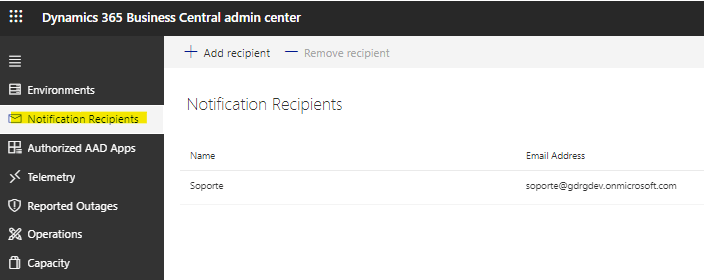
Es importante que se haya ingresado al menos la dirección de correo electrónico de un administrador como destinatario de la notificación para garantizar el conocimiento adecuado de los eventos que requieren atención administrativa. Puedes añadir o remover direcciones de correo electrónico. Manage Tenant-Specific Notifications – Business Central | Microsoft Learn

Eventualmente, los correos electrónicos enviados a los destinatarios de las notificaciones quedarán obsoletos. Para alinear el canal de comunicación principal de Dynamics 365 Business Central con el de otros productos de Microsoft, debe comenzar a usar el centro de mensajes de Microsoft 365. Más información de su configuración aquí: Dynamics 365 Business Central: changing the way of sending tenant-level notifications – Stefano Demiliani Note: Microsoft expect to remove the Notification recipients list from the Business Central administration center | Dynamics 365 Lab (yzhums.com)
Los correos que principalmente recibes están relacionados a la planificación de actualización de los cambios menores o mayores, de suspensión de la actualización, de reanudación de la actualización, de fallo y éxito de la actualización, y otro muy importante que es la de el aviso de la incompatibilidad de las extensiones que tienes instalado en el ambiente a la siguiente actualización. Esta información es valiosa si es que no habías identificado anteriormente estas incompatibilidades, te indica la extensión, objeto y error para que se proceda a actualizarse.
Aplicaciones autorizadas de Microsoft Azure Active Directory (Azure AD)

En esta sección se autoriza una aplicación de Azure AD para usar la API del centro de administración de Business Central. Se agrega el valor del Application (Client) ID, esta información se puede obtener desde el portal de Azure, la flecha indica qué dato es requerido desde el apartado de registro de aplicaciones. Business Central Administration Center API – Business Central | Microsoft Learn

Telemetría

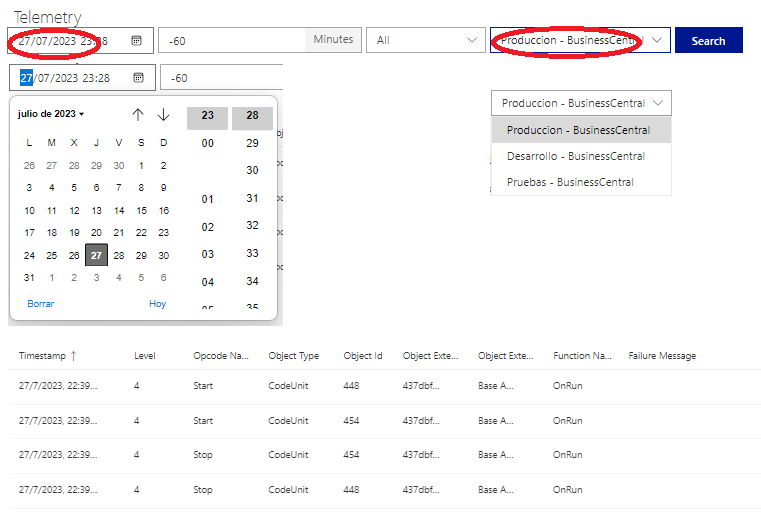
Esta sección proporciona telemetría para los entornos de inquilinos para habilitar la solución de problemas y el soporte. Environment Telemetry – Business Central | Microsoft Learn. Definitivamente recomiendo usar la telemetría que nos proporciona el servicio Microsoft Azure Application Insights. Enable Sending Telemetry to Application Insights – Business Central | Microsoft Learn
Reported Outages
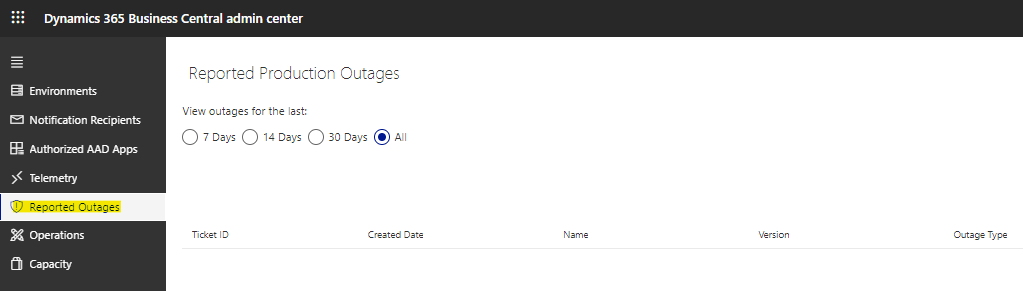
En esta sección se visualizan los reportes de interrupción de servicio, puedes filtrarlo por antigüedad, y muestra información genérica del mismo como la fecha y tipología del mismo. Report customer outages – Business Central | Microsoft Learn How to report a production outage in Dynamics 365 Business Central
Operaciones
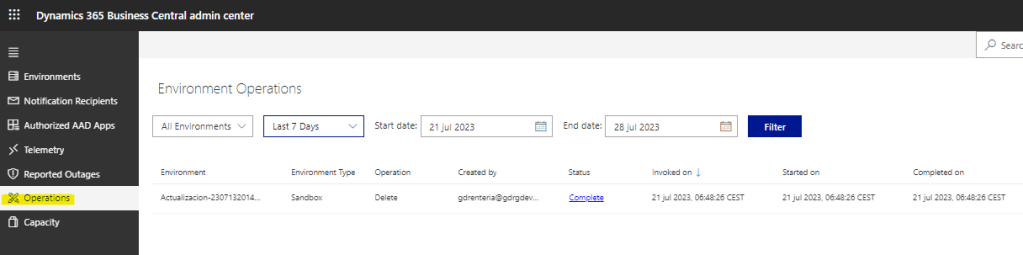
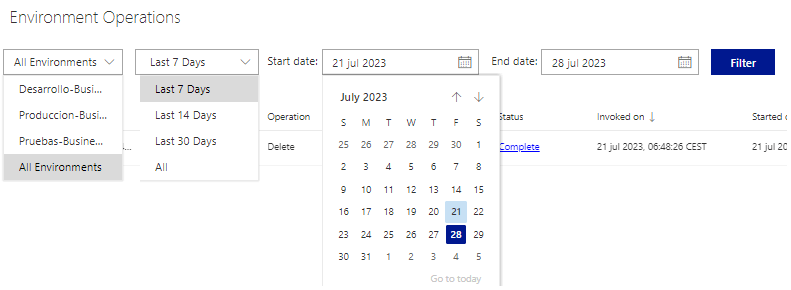
La sección Administrativa de Operaciones proporciona registros de las actividades realizadas por el personal interno y de los partners en las Operaciones de los distintos ambientes, como creación, eliminación, renombre, actualizaciones varias y otros. Utilice esta lista para ver qué acciones se realizaron y cuándo se realizaron. También puede obtener mensajes de error detallados en este registro, si alguna operación falla. Managing Production and Sandbox Environments – Business Central | Microsoft Learn
Podemos filtrar por ambiente, por antiguedad y rango de fechas. La información contenida de cada operación está enriquecida con mucho detalle.

Capacidad

De forma predeterminada, los clientes de Business Central pueden usar hasta 80 GB de capacidad de almacenamiento de base de datos en todos sus entornos (producción y sandbox). Por lo tanto, no debe exceder los 80 GB. Managing Capacity – Business Central | Microsoft Learn

Los tipos de suscripción Premium y Essential otorgan a cada cliente de Business Central un entorno de producción y tres entornos de espacio aislado. En este panel podemos ver la cantidad de entornos por tipo. Además, el cliente tiene derecho a una capacidad de almacenamiento adicional en función del número de licencias de Business Central que posee.
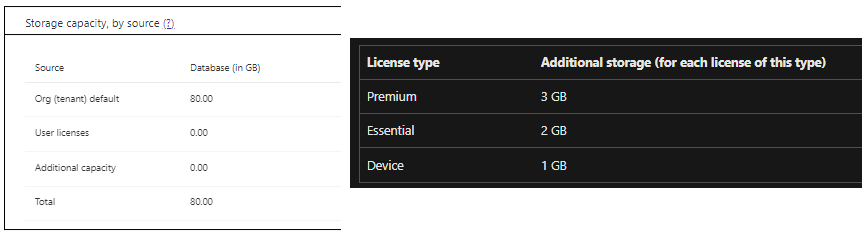

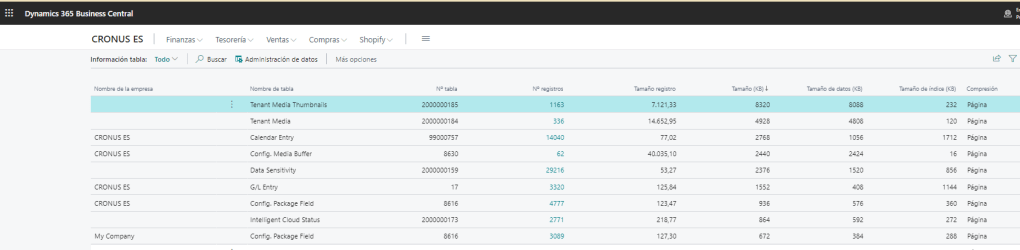
En este panel puede ver cuánto almacenamiento de base de datos utiliza cada entorno. Managing Capacity – Business Central | Microsoft Learn. Puede ver la distribución del tamaño de los datos en las tablas. View Table Information – Business Central | Microsoft Learn

Como hemos podido observar, este portal nos proporciona una serie de herramientas de administración muy importantes y necesarias. En la siguiente entrada sobre este tema veremos las APIs disponibles que permiten su administración de forma programática. También es importante mencionar que es un portal de herramientas en continuo crecimiento, cada wave nos trae mejoras, por ejemplo estas son las que nos traería la próxima wave 2 del presente año 2023. New and planned features for Dynamics 365 Business Central, 2023 release wave 2 | Governance and Administration
Administration of Business Central – Part 2
We continue the review of the Business Central Admin Center, you can access to review part 1, this time we will learn about other very interesting and useful features.
Notification Recipients
It is important that at least one administrator email address has been entered as the notification recipient to ensure proper awareness of events requiring administrative attention. You can add or remove email addresses. Manage Tenant-Specific Notifications – Business Central | Microsoft Learn
Eventually, the emails sent to notification recipients will become out of date. To align the core communication channel of Dynamics 365 Business Central with that of other Microsoft products, you need to start using the Microsoft 365 message center. Learn more about its setup here: Dynamics 365 Business Central: changing the way of sending tenant-level notifications – Stefano Demiliani Note: Microsoft expect to remove the Notification recipients list from the Business Central administration center | Dynamics 365 Lab (yzhums.com)
The emails that you mainly receive are related to the update planning of minor or major changes, the suspension of the update, the resumption of the update, the failure and success of the update, and another very important one, which is the notice of the incompatibility of the extensions that you have installed in the environment to the next update. This information is valuable if you had not previously identified these incompatibilities, it indicates the extension, object and error so that the update can proceed.
Authorized Microsoft Azure Active Directory (Azure AD) Apps
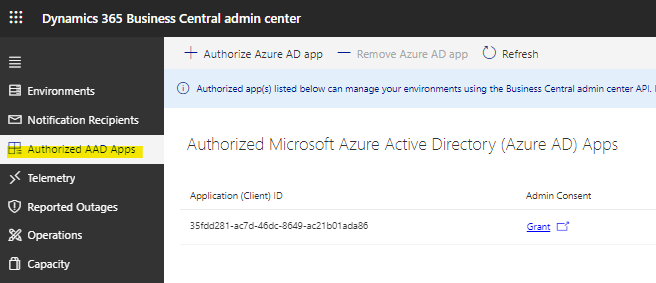
This section authorizes an Azure AD application to use the Business Central admin center API. The value of the Application (Client) ID is added, this information can be obtained from the Azure portal, the arrow indicates what data is required from the section of registration of applications. Business Central Administration Center API – Business Central | Microsoft Learn
Telemetry
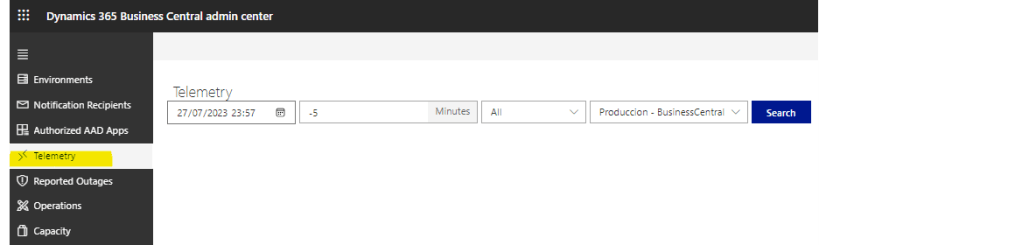
This section provides telemetry for the tenant environments to enable troubleshooting and support. Environment Telemetry – Business Central | Microsoft Learn. I definitely recommend using the telemetry provided to us by the Microsoft Azure Application Insights service. Enable Sending Telemetry to Application Insights – Business Central | Microsoft Learn
Reported Outages
In this section, production outages reports are displayed, you can filter by age, and shows generic information such as its date and type. Report customer outages – Business Central | Microsoft Learn How to report a production outage in Dynamics 365 Business Central
Operations
The Administrative section of the Operations provides records of activities performed by internal staff and from partners in the operations of the different environments, such as creation, deletion, rename, various updates and others. Use this list to view what actions were performed and when they were performed. You can also get detailed error messages in this log, if any operation fails. Managing Production and Sandbox Environments – Business Central | Microsoft Learn
We can filter by environment, by age and date range. The information contained in each operation is enriched with much detail.
Capacity
By default, Business Central customers can use up to 80 GB of database storage capacity across all their environments (production and sandbox). Hence it must not exceed 80 GB. Managing Capacity – Business Central | Microsoft Learn
The Premium and Essential subscription types give each Business Central customer one production environment and three sandbox environment, In this panel we can see the number of environments by type. Besides the customer is entitled to additional storage capacity based on the number of Business Central licenses they own.
In this panel you can see how much database storage is used by each environment. Managing Capacity – Business Central | Microsoft Learn. You can see the distribution of data size across tables. View Table Information – Business Central | Microsoft Learn
As we have been able to observe, this portal provides us with a series of very important and necessary administration tools. In the next entry on this topic, we will see the available APIs that allow its administration in a programmatic way. It is also important to mention that it is a portal of tools in continuous growth, each wave brings us improvements, for example these are the ones that the next wave 2 of the current year 2023 would bring us. New and planned features for Dynamics 365 Business Central, 2023 release wave 2 | Governance and Administration
Más información:


 Gerardo Rentería Blog
Deja un comentario