
🧐 Can I disable user identification in telemetry? 👀(English version)
¿Puedo desactivar la identificación de usuario en la telemetría?
Si por motivos de seguridad de datos, políticas internas o decisiones empresariales requieres deshabilitar el seguimiento de telemetría por usuario, te comento que es posible, pero no es recomendado en aras de identificar el origen de problemas a través de la telemetría.
Primero veamos de una manera rápida como identificamos el id de telemetría de un usuario y como usarlo.
ID de telemetría, ¿dónde está?
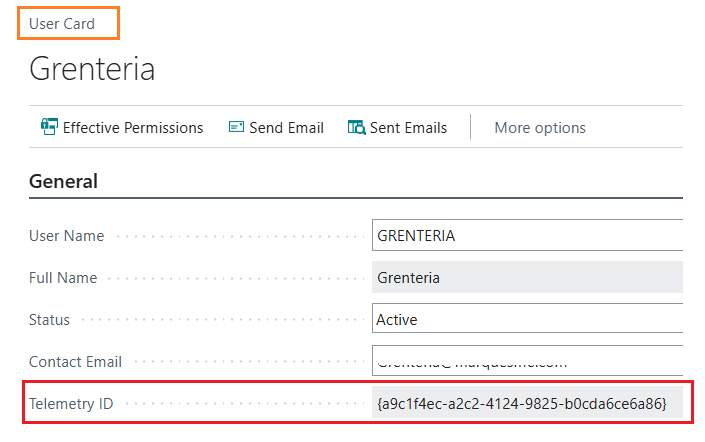
El código de ID de telemetría de usuario lo puedes encontrar en la ficha del usuario.
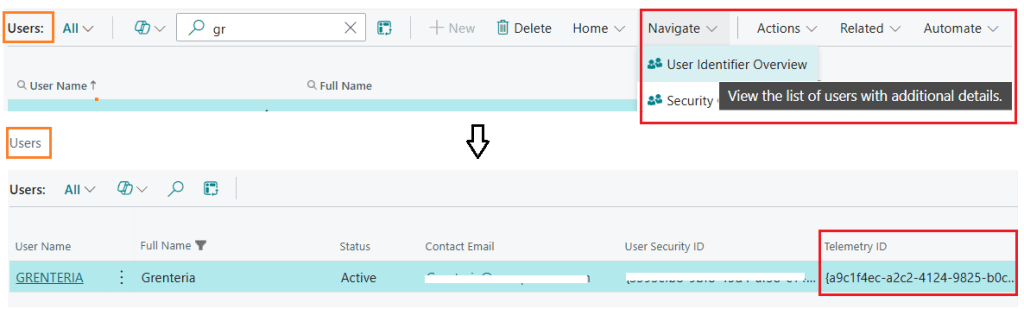
También puedes encontrarlo en los detalles adicionales del usuario.
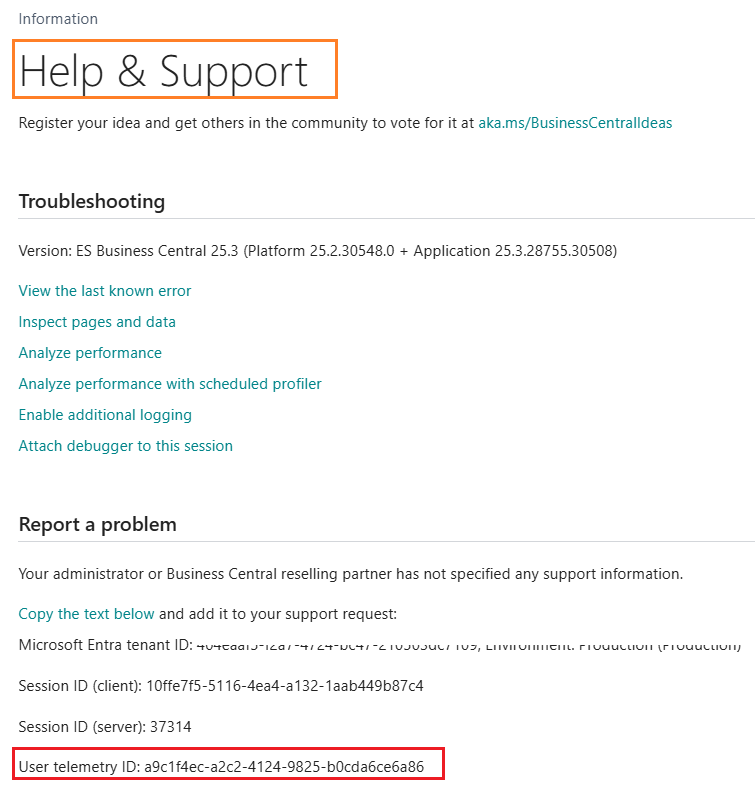
Otra forma de encontrarlo, es en la página de soporte y ayuda (Ctrl+Shift+F1), en la parte inferior en la sección de reportar un problema, encontramos la información del tenant, sesiones y el ID de telemetría.
Esta información también puede ser copiada y enviada para mayor facilidad.

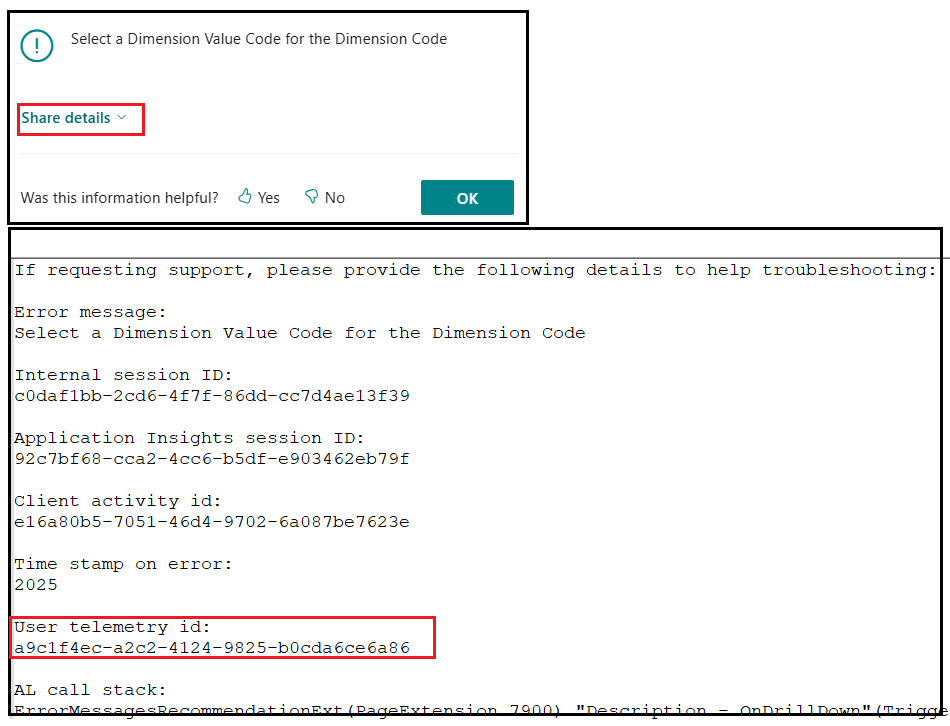
Es importante identificar que también cuando vemos un mensaje de error, tenemos la posibilidad de obtener más detalles del mismo, copiarlo y compartirlo. Share error details to get help from another user | Microsoft Learn
Telemetry ID (User_id) en el análisis de la telemetría
Por ejemplo, si deseamos ver las páginas vistas por un usuario en particular, en un rango de tiempo.
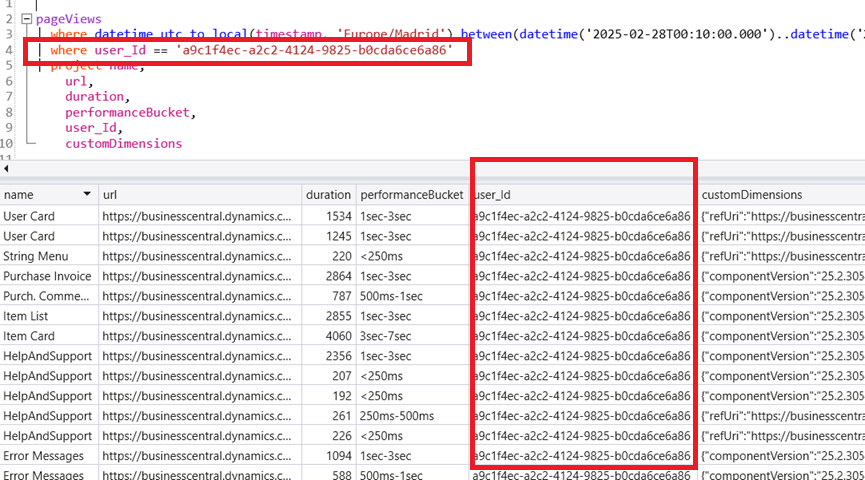
Les comparto un enlace que les ayudará a analizar la telemetría por usuario para encontrar errores y proceder a encontrar posibles soluciones. How to search error messages in telemetry from Business Central for a specific user | NAVfreak
Deshabilitar la telemetría por usuario
Desde la ficha del usuario clicamos el botón de 3 puntos al lado del ID de telemetría, y seleccionamos la opción de establecer el campo con GUID nulo. De esta manera vemos que el ID de telemetría sería un valor con todos los números cero.
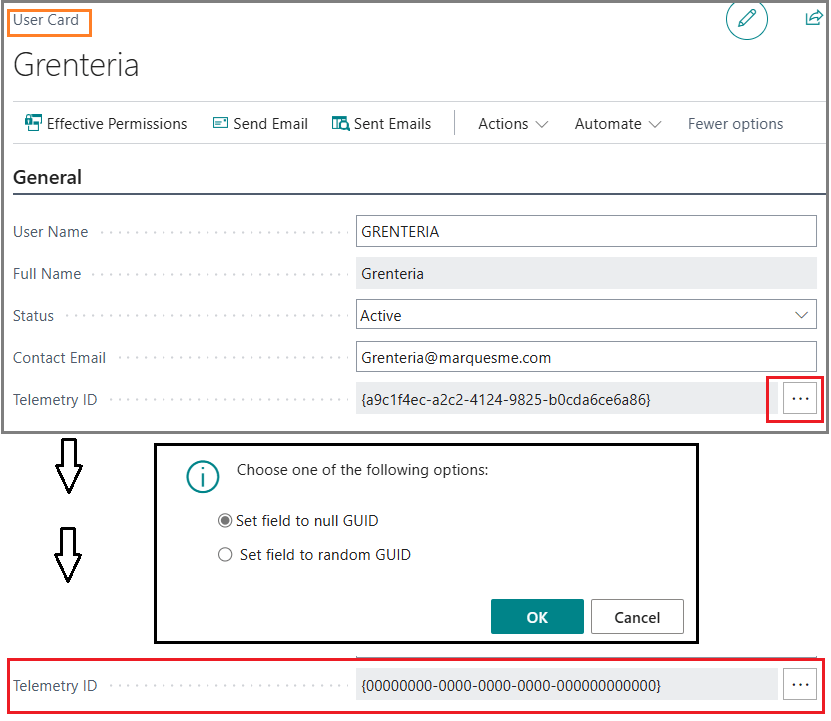
De esta manera, cuando analicemos la telemetría, veríamos que los usuarios no identificados de manera única estarían todos bajo un código genérico de ceros.
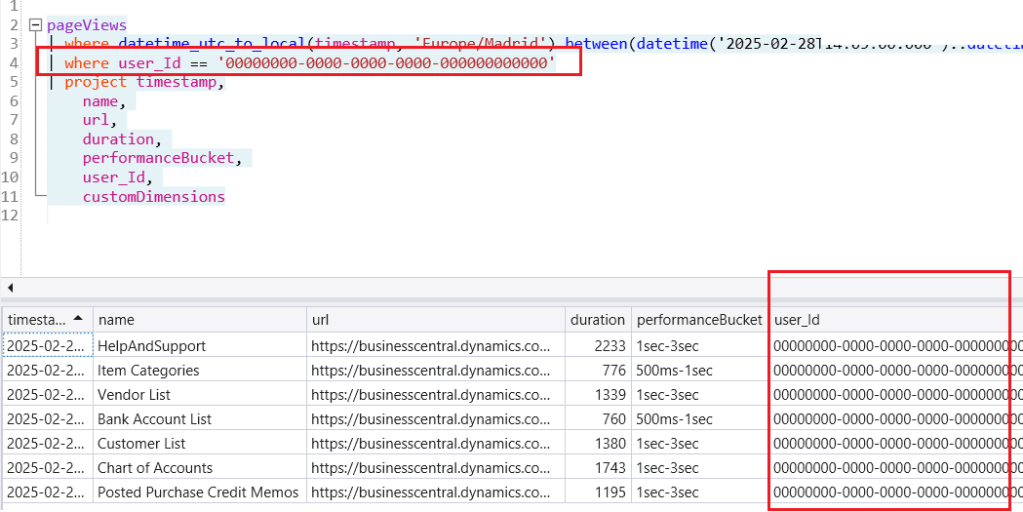
De esta manera podemos deshabilitar la traza única de un usuario dentro de la telemetría, remarco que no es la mejor práctica pero de ser necesario, si es posible.
Espero que esta información te ayude.
🧐 Can I disable user identification in telemetry? 👀
If for reasons of data security (law), internal policies or business decisions you need to disable telemetry tracking per user, I can tell you that it is possible, but it is not recommended in order to identify the origin of problems through telemetry.
Let’s first take a quick look at how we identify a user’s telemetry ID and how to use it.
Telemetry ID, where is it?
The user telemetry ID code can be found in the user card.
You can also find it in the user’s additional details.
Another way to find it is on the help and support page (Ctrl+Shift+F1), at the bottom in the report a problem section, we find the tenant information, sessions and the user telemetry ID.
This information can also be copied and sent for ease in reviewing problems.
It is important to identify that also when we see an error message, we have the possibility to obtain more details about it, copy it and share it. Share error details to get help from another user | Microsoft Learn
Telemetry ID (User_id) in telemetry analysis
For example, if we want to see the pages viewed by a particular user, in a time range.
I share with you a link that will help you analyze telemetry by user to find errors and proceed to find possible solutions. How to search error messages in telemetry from Business Central for a specific user | NAVfreak
Disable telemetry identification per user
From the user card page, click the 3-dot button next to the telemetry ID, and select the option to set the field with null GUID. This way we see that the telemetry ID would be a value with all zero numbers.
This way, when we analyze the telemetry, we would see that non-uniquely identified users would all be under a generic code of zeros.
In this way we can disable the unique trace of a user within the telemetry, I emphasize that it is not the best practice but if necessary, it is possible.
I hope this information helps you.
Más información / More information:
- Turn sending telemetry to application insights on or off – Business Central | Microsoft Learn
- How to search error messages in telemetry from Business Central for a specific user | NAVfreak
- Business Central 2024 wave 1 (BC24): Easily copy Entra tenant ID, environment and session details | Dynamics 365 Lab


 Gerardo Rentería Blog
Deja un comentario